
Where can TapX improve the hotel guest journey?
Picture a guest arriving in Lahore after a long journey. The bag is finally down, the room feels welcoming, and the next wishes are simple: connect to Wi-Fi, find something good to eat, and know how to ask for help. Those little moments shape how a stay feels.
TapX connects physical hotel touchpoints to digital guest services. A QR code or compatible NFC tap can lead a guest from a reception desk, bedside card, or restaurant table to information, dining options, a service request, or feedback. The opportunity is to make those next steps feel as welcoming as the room itself.
For a business growth partner, the question is practical: where does a guest already want to act, and what gets in the way? A room dining menu may be available but difficult to locate. A guest may have a service concern but be unsure whom to tell. A satisfied visitor may leave before discovering a useful reason to return.
These moments matter for hotels in Lahore and across Pakistan. A guest-facing page should work on a small phone screen, use familiar language, and offer English or Urdu where appropriate. Keep staff assistance available for guests who prefer a conversation or cannot use the digital route.
Guest convenience has a commercial consequence
A hotel invests in rooms, food, staff, and facilities. The guest can only benefit from those investments when they understand what is available and how to access it. Clear service information helps a visitor make a decision at the moment of need; an effective handover helps the hotel deliver on that decision.
This is the business growth lens for the Premier Inn Grand story. The Digital Concierge connects the hotel’s service offering with the guest’s daily experience. Dining, feedback, and reputation become parts of the same operating conversation: what did the guest need, did the team deliver, and what can the property improve next?
“Good hospitality makes a guest feel welcome, understood, and confident about what to do next.”
A little GolTap. A more connected stay.
The room photograph shows a GolTap standee within reach on the bedside table. Its purple Premier Inn Grand branding carries a simple promise: Digital Concierge · Elevated Guest Experience. The guest page continues that identity, bringing the property’s services together in one familiar place.
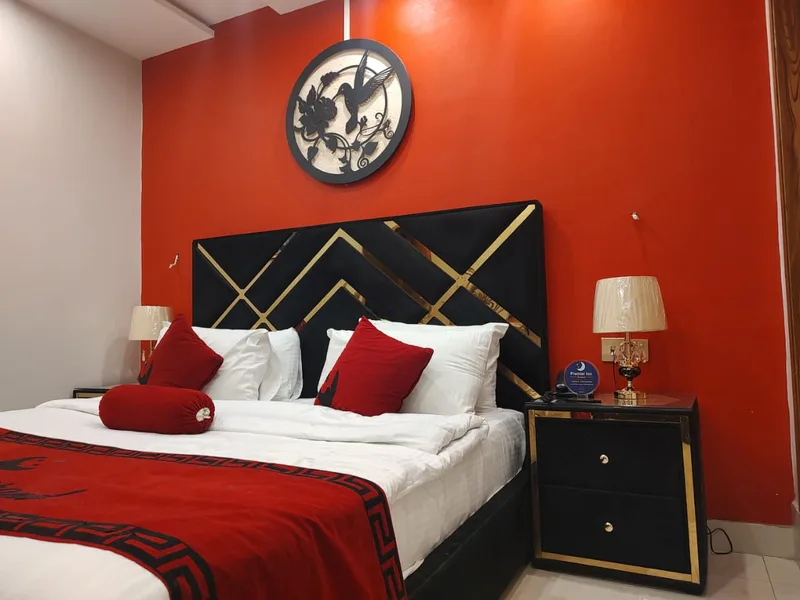
The property’s welcome, carried onto the phone
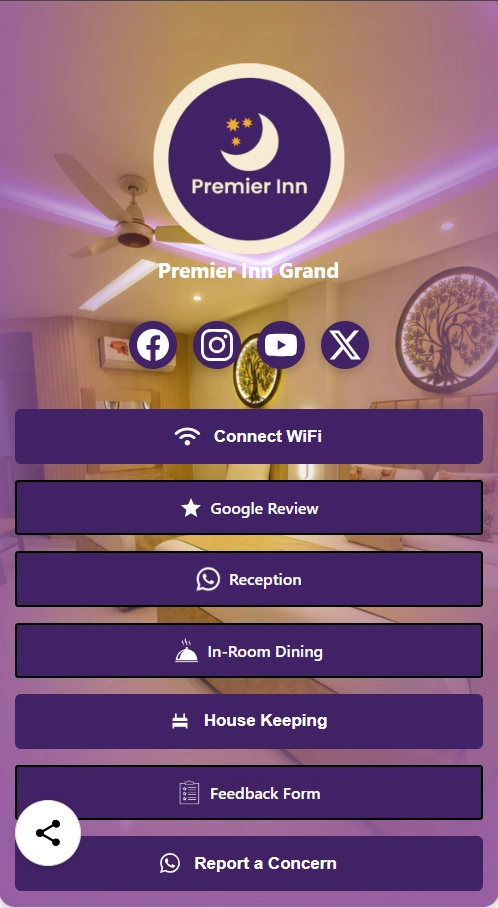
The supplied guest-page image shows the same purple identity, the Premier Inn logo, and a view of the property behind its service buttons. This BioLink-style layout feels like an extension of the hotel: recognisable, concise, and focused on the guest’s next need.
One page for the moments that matter
- Settle in: Connect WiFi and reach Reception.
- Enjoy the stay: discover In-Room Dining and House Keeping.
- Be heard: use the Feedback Form or Report a Concern.
- Stay connected: find Google Review and the property’s social channels.
Reception and Report a Concern carry the familiar WhatsApp symbol. Facebook, Instagram, YouTube, and X sit together at the top, while the practical services remain prominent below.
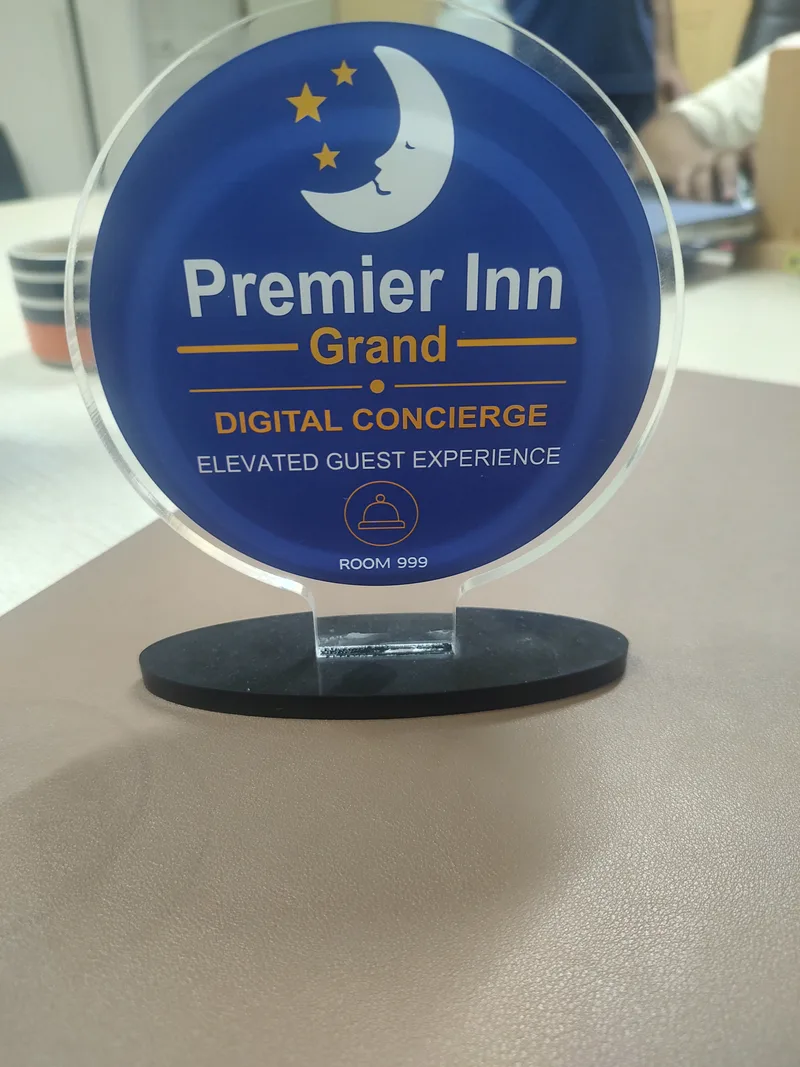
The welcome starts with the physical touchpoint
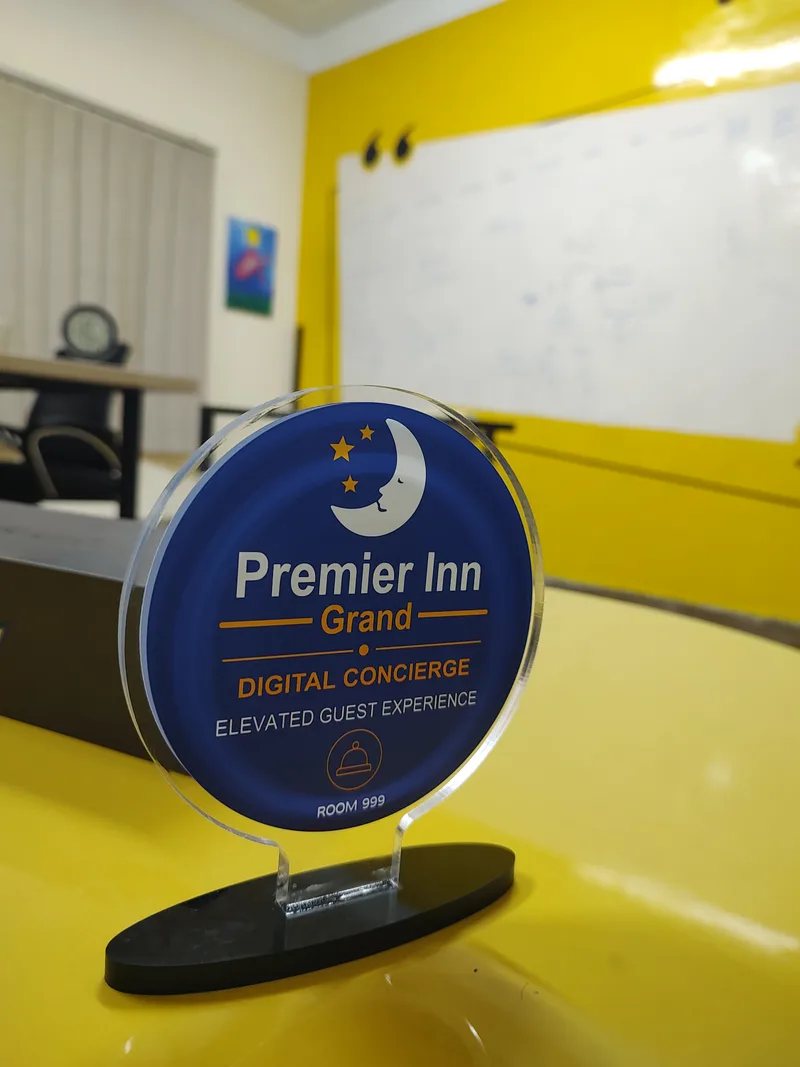
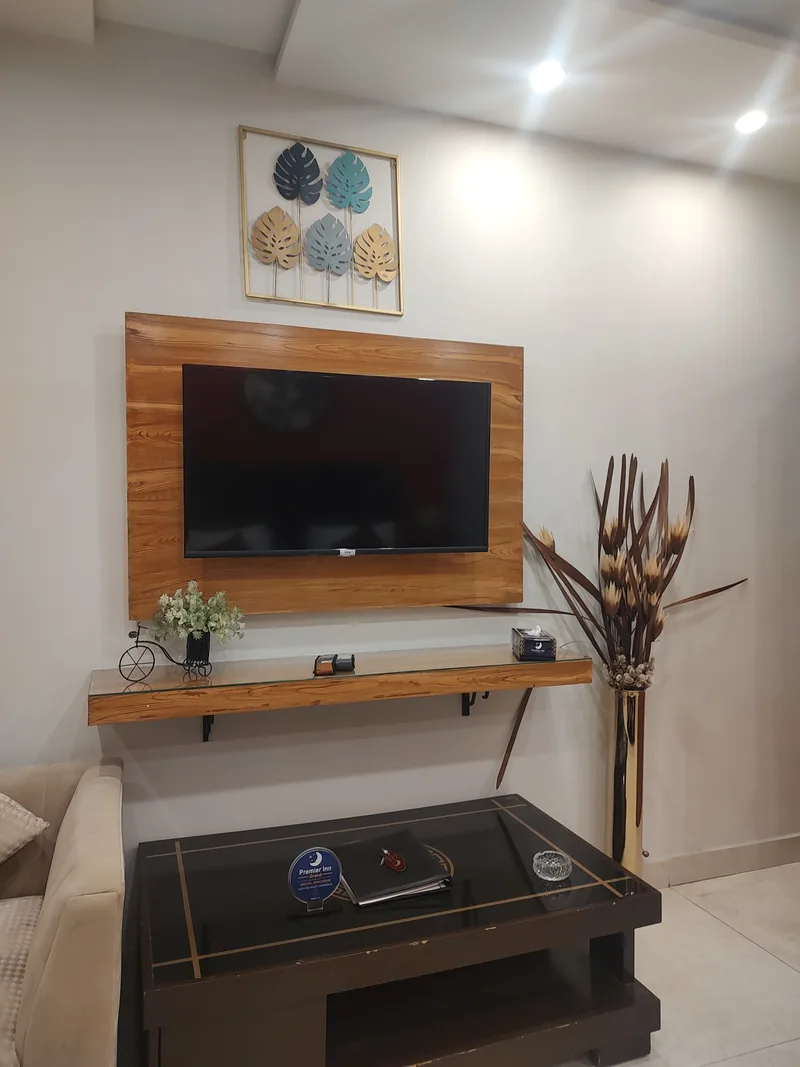
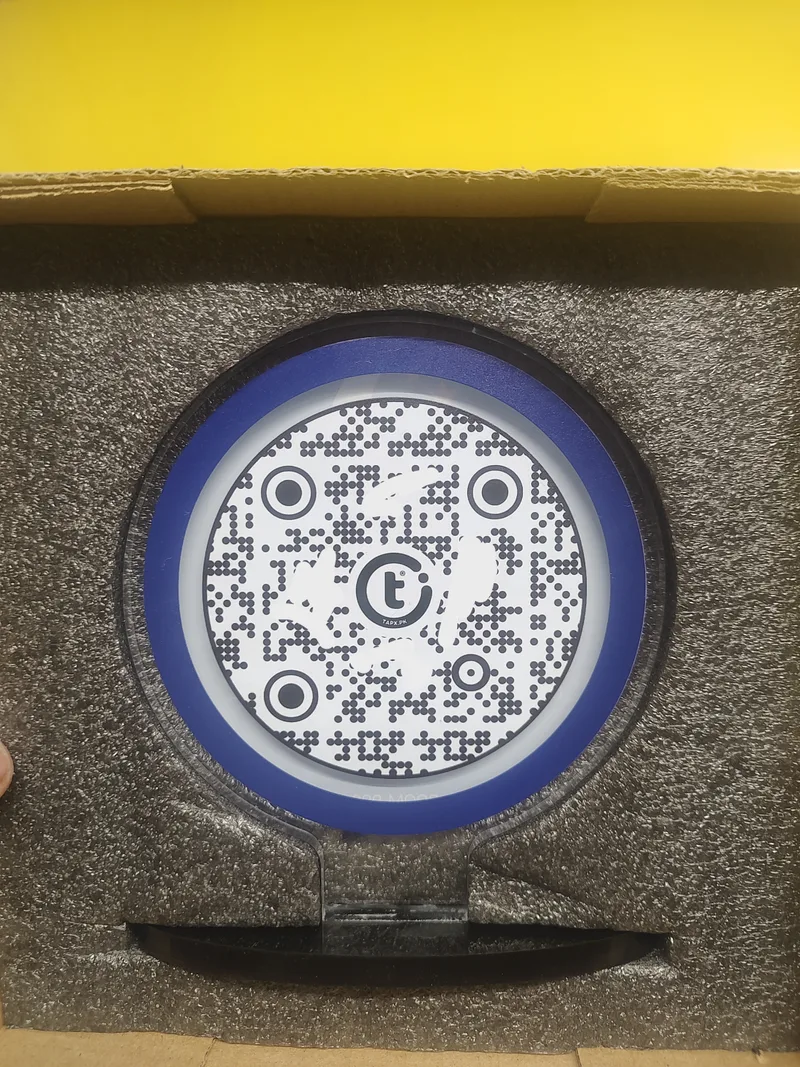
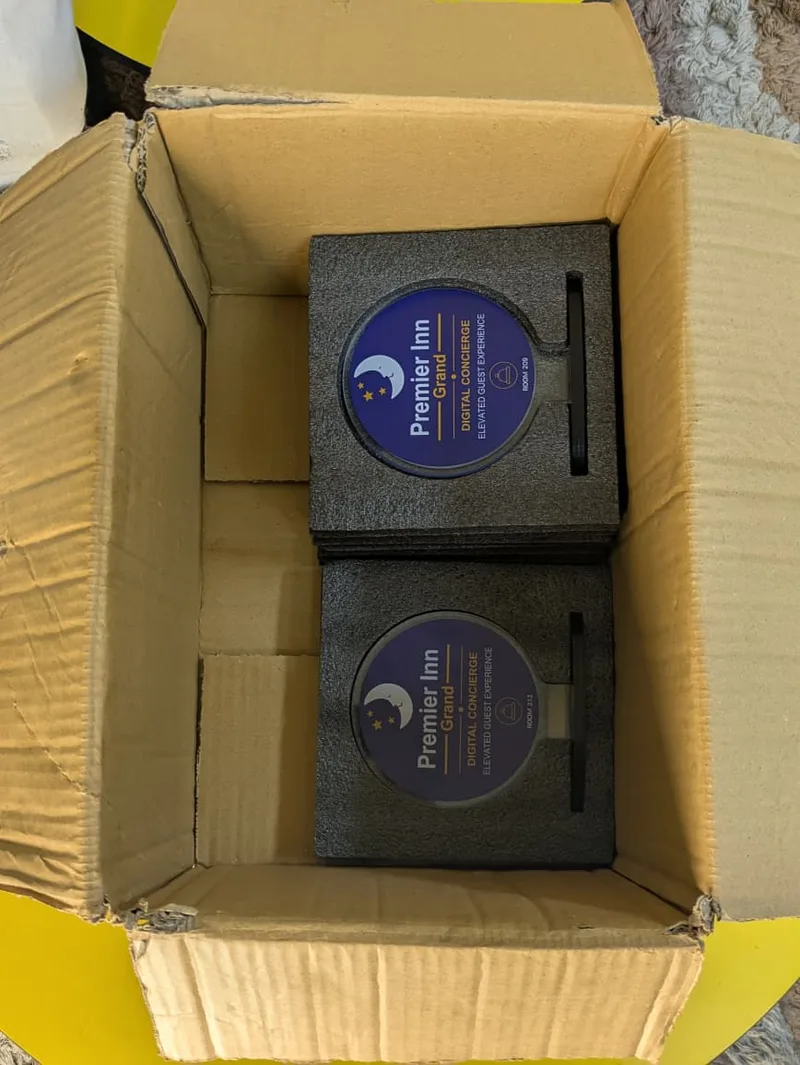
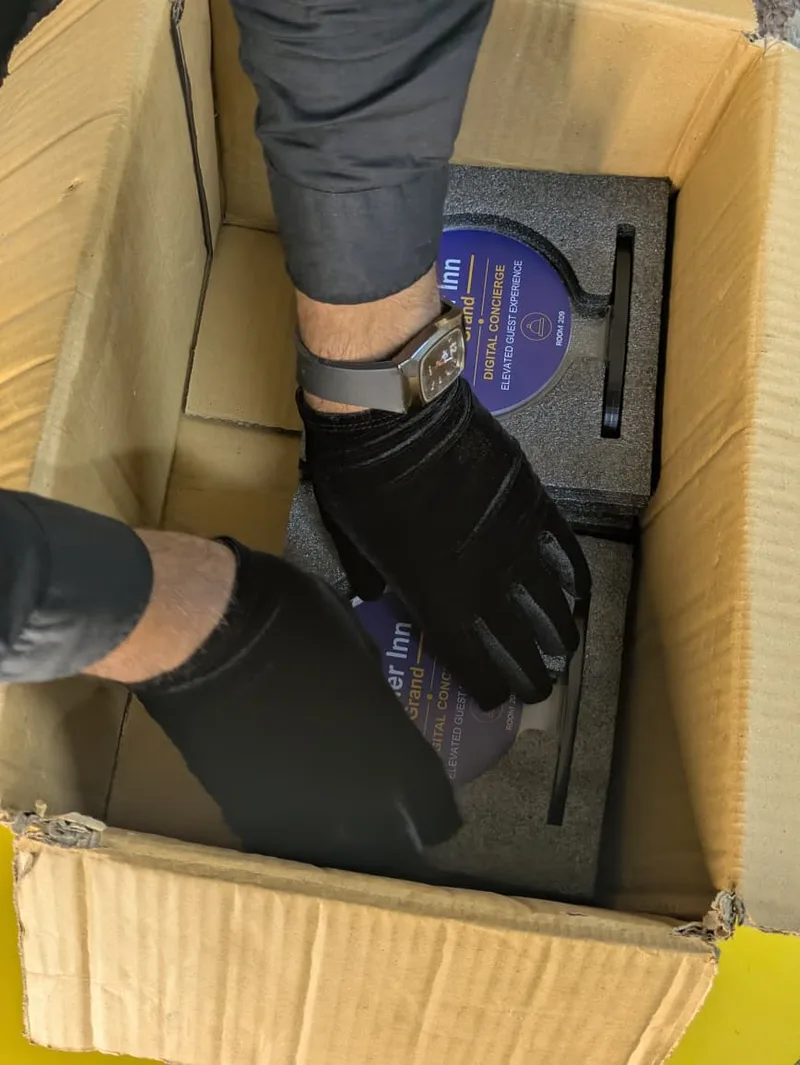
From the branded front to the TapX QR on the reverse, these photographs show the physical GolTap in detail, a touchpoint placed in the guest room, and the units in protective packaging. The circular face carries Premier Inn Grand’s identity from the room to the guest’s screen.
Where traditional guest journeys lose momentum
Service friction often sits between departments. The restaurant knows the latest menu, reception answers the phone, and housekeeping handles a separate request. A guest experiences one hotel, so these boundaries should be managed by the property rather than passed on to the visitor.
Information changes faster than printed material
A printed room folder can be useful, but opening hours, prices, availability, and contact routes need an owner. A digital destination gives the team a place to maintain current information. The physical touchpoint can remain familiar while the information behind it is reviewed and updated.
Access, acknowledgement, and completion are different steps
Opening a menu is the beginning of a dining journey. Sending a request is the beginning of a service journey. Each needs a clear confirmation and a dependable handover. Design the concierge around these stages so the guest knows whether they are viewing information, making an enquiry, or submitting an order.
A recommended shift in service design
| Guest moment | Common friction | Connected service approach |
|---|---|---|
| Discover dining | Find a menu and confirm its details separately. | Open a maintained menu with hours and a clear ordering route. |
| Ask for help | Find a contact and repeat the request after a handover. | Use an identified service route with an acknowledgement and owner. |
| Share feedback | Leave a comment without knowing who will respond. | Capture structured feedback and assign a follow-up action. |
| Manage several properties | Let each branch maintain different information and definitions. | Use shared service standards with property-specific destinations. |
This comparison describes a suggested operating model, not documented conditions before the customer rollout.
Premier Inn Grand, Lahore: an elevated guest experience
Premier Inn Grand Gulberg Lahore is listed on the Premier Inn Group of Hotels’ official website, alongside other properties. The TapX case-study briefing describes a Digital Concierge rollout across multiple properties and hundreds of rooms, bringing room dining and structured guest feedback into a more connected experience.
The customer briefing highlights three commercial and guest-experience results from a 90-day reporting period. These are property-reported figures, providing a useful view of the outcomes described for the rollout.
≈67%
Reported revenue increase
Revenue growth supplied in the property briefing.
16%
Reported monthly room dining growth
Growth in room dining orders during the reporting period.
90%
Reported positive reputation impact
A reputation result reported separately from NPS.
The useful lesson is the connection between access and execution. When services become easier to discover, the hotel has more opportunities to serve guests. Demonstrating how much the concierge contributed still requires comparable trading periods, occupancy context, and service records.
What the revenue result brings into focus
The reported increase of approximately 67% puts commercial performance at the centre of the story. For a hotel owner, the next discussion is about the revenue mix: which services contributed, how trading conditions changed, and how guest access translated into completed purchases. Those questions help turn a headline result into a repeatable management practice.
Why room dining deserves a separate measure
The reported 16% monthly growth in room dining orders identifies a specific guest action. An order count can be reviewed with kitchen and service teams, then compared with availability, occupancy, and delivery performance. This is more actionable than treating all digital engagement as one number.
Reputation is part of the service journey
The property also reports a 90% positive reputation impact. Read that alongside the NPS-enabled feedback system as two parts of the customer briefing: one describes a reputation outcome, while the other describes a method for listening to guests. Feedback themes can show the team where service quality needs attention.
What does a connected digital concierge look like?
Think of the concierge as a clear entrance to the guest journey. Each action needs an accurate destination and an accountable team. The following map is a recommended hotel workflow, rather than a claim that every feature was included in the Premier Inn deployment.
At reception
Open guest information, breakfast times, and useful contact details. Front desk staff own the accuracy of the information.
Inside the room
Find the current dining menu and the hotel's agreed ordering route. The dining team owns availability, acknowledgement, and fulfilment.
During the stay
Share a service request or private concern. Route it to an identified team and set a realistic response expectation.
Before departure
Offer structured feedback and a neutral public review option. A manager owns follow-up and the service improvement cycle.
A QR code is an access point. It does not automatically create a booking system, ordering integration, or response process. Define which destinations already exist, what TapX will manage, and which integrations are needed before printing or installing the touchpoints.
Give the guest a small number of clear choices
A useful concierge home page prioritises the actions a guest is most likely to need during the stay. Menu, hotel information, service assistance, and feedback should have recognisable labels. Group secondary information beneath those actions rather than making the visitor read a long directory before finding help.
Use the same names on the physical card and the destination page. If a bedside card says “Room Dining”, the page should make dining easy to find. If it says “Guest Assistance”, show the relevant contact route and explain the response process. This continuity builds confidence in the next step.
Make room dining easier to discover and complete
Room dining is a useful place to begin because the guest’s intention is clear. Put the menu where it is relevant, show opening hours and current prices, and explain how the order reaches the hotel team. A good call to action says what happens next: view the menu, contact room dining, or place an order through the agreed service.
“A meal delivered with care begins with an order that reaches the right people clearly.”
The reported 16% monthly order growth makes dining an important part of this case study. To evaluate that result, compare completed orders, rather than menu opens alone. Check orders per occupied room, average order value, fulfilment time, and cancellations. Promotions, occupancy, and menu changes can also affect performance.
Staff should know what to do when a digital request arrives. Confirm the room identifier through the hotel’s process, acknowledge the request, and provide an alternative if an item is unavailable. Easy access works best when the service behind it is dependable.
Design the menu around the guest’s decision
Organise dishes into clear categories. Show prices and any applicable charges, realistic service hours, and information the hotel can keep accurate. Food images can help, but the menu must still be usable before every image has loaded. Keep the order action visible without making the page feel crowded.
Close the handover to the dining team
Define where the request arrives and who monitors that channel during each shift. A submitted enquiry should not be presented as a confirmed order unless the workflow actually confirms it. The team needs a way to communicate acceptance, changes, and expected delivery through the hotel’s agreed process.
Concierge + POS + KTS: a clear handover behind the welcome
The guest sees a simple dining choice. Behind it, the hotel needs a dependable way to carry the request through acceptance, preparation, and delivery. In the workflow illustrated here, POS means point of sale, and KTS means kitchen ticketing system. Each has a different job in that handover.
Illustrative integration pathway
The guest asks
The branded concierge makes the menu and service route easy to find. The guest submits a request through the configured channel.
For the guest: A clear place to begin.
The service team confirms
An agreed POS workflow records accepted items, quantities, and charges, with the property confirming availability and the order.
For the guest: Less uncertainty about what was accepted.
The kitchen prepares
The kitchen ticket identifies the accepted order for preparation. Staff use their configured queue and agreed status process.
For the guest: A more organised handover to the kitchen.
Hospitality reaches the room
The service team arranges delivery, confirms completion through its process, and offers a way to ask for further help.
For the guest: A meal and a human response, delivered with care.
This is an integration model to scope with the property and its software providers. It does not establish which POS or KTS Premier Inn Grand has installed, or imply that scanning a QR automatically connects any existing systems. What matters to the guest is a clear confirmation and a meal that arrives through a service the team can fulfil.
A friendly reply. An easy connection. A stay that feels supported.
Some guest requests are small but personal: an extra towel, help connecting a phone, a question about breakfast, or a dining enquiry. A friendly support route lets the guest ask in familiar words while the property keeps responsibility for the response.
WhatsApp concierge
A verified hotel WhatsApp destination can bring the guest into a familiar conversation. Use a friendly welcome, explain the monitored service hours, and hand the request to the right team.
Guest advantage: a recognisable way to ask for help, with less uncertainty about whom to contact.
Wi-Fi without the search
Make approved guest-network instructions easy to reach and keep reception assistance close by. A guest can settle in, contact family, or return to work without searching through room literature.
Guest advantage: a clear route to connection and support if a device needs extra help.
“A friendly digital concierge should carry the same care as a helpful person at reception.”
Social signals that help the guest recognise the property
The guest page can connect visitors to the hotel’s verified location, official social profiles, property information, and a neutral review destination. Consistent names and branding make it easier to recognise the right hotel. These links are also useful after checkout when a guest wants to find the property again or share the stay with someone else.
Let the guest choose how to stay connected
Offer social and review links as optional next steps. Keep access to dining, Wi-Fi, and assistance available without requiring a follow, a positive review, or a marketing signup.
Include every guest in the welcome
Use large readable labels, straightforward English and Urdu where appropriate, and a QR alternative for phones that cannot use NFC. A printed contact route and a helpful staff member remain valuable. The digital experience should give each guest another convenient route to hospitality.
The supplied guest page brings these routes into the same branded experience. Keeping service contacts, Wi-Fi instructions, and social destinations current helps that first useful scan remain dependable throughout the guest’s stay.
Use NPS-enabled feedback to improve service quality
The case-study briefing describes an NPS-enabled feedback system supporting guest feedback scoring and service improvement. NPS means Net Promoter Score. In the usual method, guests answer a recommendation question on a 0–10 scale: 9–10 are promoters, 7–8 are passives, and 0–6 are detractors. NPS is the percentage of promoters minus the percentage of detractors, producing a score from −100 to +100.
No numerical NPS result was supplied for this property. Keep NPS separate from dining growth and the reported reputation impact. Consistent questions and a defined reporting period make comparisons more useful; there is no single universal score that proves a hotel meets all industry standards.
Add a short question about the reason for the score. Then connect feedback to an action: identify the affected service, assign an owner, follow up where consent permits, and record whether the issue was resolved. Service quality improves through this response loop, rather than through collecting scores alone.
The NPS calculation
NPS = % promoters − % detractors
Promoters: 9–10 · Passives: 7–8 · Detractors: 0–6. Include all valid responses in the denominator when calculating each percentage.
A closed feedback loop for the property team
Listen
Ask a concise, consistent question and let the guest explain the reason behind the score.
Assign
Identify the affected department and give one team member responsibility for the next action.
Respond
Address the concern through the property's process and contact the guest where permission and contact details allow.
Learn
Review recurring issues with the team, record the changes made, and check whether the pattern improves.
Keep the scoring approach consistent across properties. Changing the question, response scale, or point in the stay can make comparisons difficult. Review the response count alongside the score, and avoid drawing a sweeping conclusion from a small number of replies.
Keep public review requests neutral. Google Maps’ review policy prohibits incentives and selective requests for positive reviews. Private feedback can sit alongside the public review option, without a satisfaction score controlling access to that link.
Service architecture and data flow
A connected guest journey needs three working layers: access on the guest’s phone, accurate service destinations, and an operational response. The model below is a recommended design framework. It does not claim a particular backend, integration, or security certification for the Premier Inn installation.
From the physical touchpoint to a completed service
Guest access
Scan a labelled QR or use a compatible NFC touchpoint. Open a mobile page with the right property and service context.
Service destination
View maintained information or use the agreed menu, request, and feedback workflows. Capture only the details the action requires.
Property response
Assign requests, acknowledge the guest, record completion, and review service outcomes with the responsible team.
Carry the right context into the service
At multiple properties, a request needs enough context to reach the correct team. The service design should establish how property, touchpoint, and any required room information are supplied and checked. A guest should not have to guess which branch a shared contact number serves.
Guest information
Collect the minimum needed for fulfilment or follow-up. Explain why contact details are requested, restrict operational access, and agree retention and deletion practices before launch.
Service reliability
Test destinations, maintain contact routes, and keep ownership clear during shift changes. Offer a manual contact option when a phone, connection, or service page is unavailable.
The physical placement also needs maintenance. Check that the printed code is intact and still opens the expected destination. If guests use a shared hotel Wi-Fi network, provide an approved guest connection method and assistance without exposing internal staff systems.
Measure impact beyond the number of scans
Agree on the scorecard before a rollout. Use the same definitions across properties and record the comparison period. A scan can show interest, but one guest may scan several times; it is not automatically a distinct guest, a booking, or a sale.
- Guest access. Track successful page opens and broken destinations. Check that printed touchpoints still lead to the intended property and service.
- Dining outcomes. Compare completed room dining orders and revenue per occupied room over like-for-like periods, with occupancy and promotions recorded.
- Service response. Measure time to acknowledge a request, time to resolve it, and unresolved requests. Separate a received message from a completed service.
- Guest feedback. Report response count, response rate where the denominator is known, NPS, and recurring themes. Show small samples clearly.
- Reputation. Name the platform or survey and the exact metric. Positive-review share, review volume, rating, and NPS are different measures.
For revenue growth, state both the baseline and later revenue before calculating the percentage change. Use anonymised reporting where possible and limit guest data to what the service needs. Do not turn an optional feedback form into an unnecessary collection of personal information.
A scorecard that connects guest activity with business outcomes
Bring commercial and service measures into the same review. A property can receive more dining requests while also taking longer to respond; a rising order count should therefore be read alongside fulfilment quality. Discuss the complete journey with the teams that own it.
| Measure | Record to review | Management question |
|---|---|---|
| Dining conversion | Completed orders and the relevant menu sessions, using an agreed counting method. | Are guests completing the action after viewing the service? |
| Dining revenue | Fulfilled order value, occupied rooms, refunds, and trading-period context. | Is growth coming from more orders, higher value, occupancy, or a combination? |
| Request response | Received, acknowledged, and completed timestamps where the workflow supports them. | Where does the service slow down between departments or shifts? |
| Guest feedback | NPS, valid response count, recurring themes, and follow-up outcomes. | What should the team change, and did that change address the issue? |
For the reported 90-day results, the next level of evidence would be a record of the comparison period, participating properties, and each metric’s definition. Maintaining that record makes future reviews more useful and helps the group understand which service improvements are worth expanding.
A consistent guest experience across multiple properties
The briefing describes a rollout across multiple properties and hundreds of rooms. At that scale, content ownership and service consistency become as important as the touchpoint itself. A shared design can make the experience familiar, while property-specific information keeps it accurate.
Standardise the experience; localise the service details
Use a common set of labels, page layouts, and service expectations. Keep menus, opening hours, contact routes, and local facilities specific to each property. A guest should recognise the group’s service approach without seeing details that belong to another branch.
Group-level ownership
- Brand presentation and service language.
- Shared feedback questions and metric definitions.
- Access responsibilities and change-review process.
- A consistent approach to reporting and escalation.
Property-level ownership
- Current menus, hours, and availability.
- Correct contact routes and shift coverage.
- Request acknowledgement and fulfilment.
- Physical touchpoint checks and guest assistance.
Make change management part of daily operations
When a menu changes or a department contact moves, update the destination and test it from a guest’s phone. Record who approved the change and who checked the result. Include the digital routes in shift handovers so service continues when individual team members are off duty.
Compare properties with context. Room count, occupancy, service hours, and the guest mix can affect results. Use the comparison to identify useful practices and recurring issues, then investigate the cause before treating a difference as a performance ranking.
A practical starting point for Pakistani hotels
Start with a guest need that the team can fulfil well. The following steps are a proposed rollout approach, not a reconstruction of this customer’s deployment timeline.
- Choose one journey. Begin with a current dining menu, guest information, or service feedback. Confirm the content owner and how requests will be handled.
- Make the mobile page useful. Use readable text, clear prices, small images, and concise language. Test on a real phone and a weaker connection. Offer Urdu help where it serves the guest audience.
- Place and test the touchpoint. Use a high-contrast QR with clear space around it. Test the actual printed size and room lighting. Label the destination so guests know what will open.
- Prepare staff and protect accuracy. Check each property’s contact details, hours, and service ownership. Inspect physical codes for damage or tampering and keep a manual alternative.
- Review and improve. Record baseline measures, review completed service outcomes, and adjust the weakest step before expanding to more rooms or properties.
For a first touchpoint, the TapX Free QR Creator can link to an existing menu or information page. A static QR retains its encoded URL; you can update content at that destination if you control it. For managed links, reporting, or a wider concierge workflow, explore TapX hospitality solutions and confirm the scope with the team.
An implementation pathway the team can own
Discover
Map the guest's current journey with reception, dining, and service managers. Identify the information guests repeatedly ask for and the requests that are difficult to hand over.
Output: a prioritised service map and named owners.
Prepare
Agree the destination pages, content, contact channels, request process, and feedback questions. Check the baseline records and prepare staff guidance.
Output: approved content, a working service route, and a measurement plan.
Pilot
Test the actual printed touchpoints in the intended rooms or service areas. Follow a guest action through to fulfilment and test an unavailable-item or connection-failure scenario.
Output: a checked journey and a team that knows the handover.
Review and expand
Review guest use, completed services, feedback themes, and operational issues. Resolve the weakest steps before adopting the same model at more properties.
Output: a documented improvement decision and an expansion plan.
Choose the rollout pace around the hotel’s operating capacity. A small, well-owned journey creates a better foundation for expansion than launching several service routes that staff cannot consistently maintain.
From guest convenience to sustainable growth
Premier Inn Grand’s reported results bring three connected outcomes into view: revenue growth, increasing room dining activity, and a positive reputation impact. The NPS-enabled feedback approach adds a way for the team to listen systematically and connect guest comments to service improvement.
The broader opportunity for Pakistani hotels is to make the service offering easier to access and easier to manage. Place useful actions at the moments guests need them, maintain the information behind each touchpoint, and give staff the process to respond well.
For the business, that creates a practical growth programme: define a journey, establish ownership, measure completed outcomes, and improve the experience over time. The value of a Digital Concierge is realised through that daily execution.
Make every useful guest interaction easier to begin—and dependable to complete.
Frequently asked questions
What is a hotel digital concierge?
A hotel digital concierge is a mobile-accessible entry point to guest information and services, such as dining, Wi-Fi instructions, service requests, and feedback. A QR code or compatible NFC touchpoint can open it. The hotel still needs staff and working service processes behind each action.
How is TapX being used at Premier Inn Grand in Lahore?
The supplied TapX case-study briefing describes Digital Concierge deployment across multiple properties and hundreds of rooms, connecting guest experience, room dining, and structured NPS-enabled feedback. The results in this article are property-reported for a 90-day reporting period, rather than independently audited results.
Does a guest need to install an app to scan a hotel QR code?
For a QR code that opens a web page, guests can usually use a supported phone camera or scanner and their browser without installing a hotel app. Internet access is needed for web content. NFC requires a compatible device; keep a visible QR code and staff assistance available too.
Is the reported 90% reputation impact an NPS score?
No. The supplied briefing reports a 90% positive reputation impact but does not define its calculation. It should not be interpreted as an NPS of 90, a 90% positive-review rate, or a change in Google star rating. No numerical NPS result was supplied.
Can a hotel start with the TapX Free QR Creator?
Yes. Use the Free QR Creator to link to an existing menu, guest information page, or feedback form. A static QR keeps its encoded destination; updating the content at that same URL can keep the printed code useful. Managed destination changes, reporting, ordering integrations, and multi-property service workflows require a separately defined solution.
Should a hotel offer rewards for positive Google reviews?
No. Google Maps prohibits incentivised reviews and selective solicitation of positive feedback. Give guests a neutral review option and offer private service feedback without using a score to hide or unlock the public review link.
Build the next useful guest touchpoint
The Premier Inn Grand story puts attention on a practical growth opportunity: make a relevant service easier to reach, give the team ownership, and measure what improves. Start with one guest journey and build from there.
Abdullah Alam
Business Growth Partner · TapX
This article examines hospitality through a business growth perspective: connecting guest convenience, accountable service delivery, and measurable commercial outcomes for Pakistani hotels.